

Checking for the following signs can help you identify phishing emails and avoid falling victim to scams:
1. Sender’s Email Address:
– Carefully examine the sender’s email address. Look for misspellings, unusual domains, or variations of legitimate addresses.
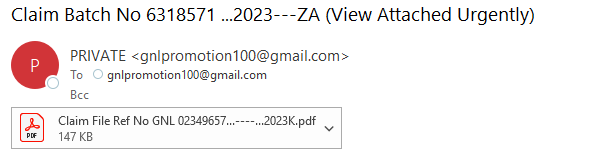
– Be cautious of emails from free, generic domains like Gmail or Yahoo, especially if they claim to be from a professional organization.
– Be cautious of emails from free, generic domains like Gmail or Yahoo, especially if they claim to be from a professional organization.

This can be seen in this example where a generic domain and a variation of a legitimate address is used
2. Generic Greetings:
– Phishing emails often use generic greetings like “Dear User” or “Hello Customer” instead of addressing you by name.
– Legitimate organizations typically use your name in communications.
3. Urgent or Threatening Language:
– Beware of emails that create a sense of urgency or fear. Phishing emails may threaten account suspension, legal action, or immediate action requirements.
– Legitimate organizations generally communicate calmly and professionally.
In this example notice the use of “Final warning” creates fear
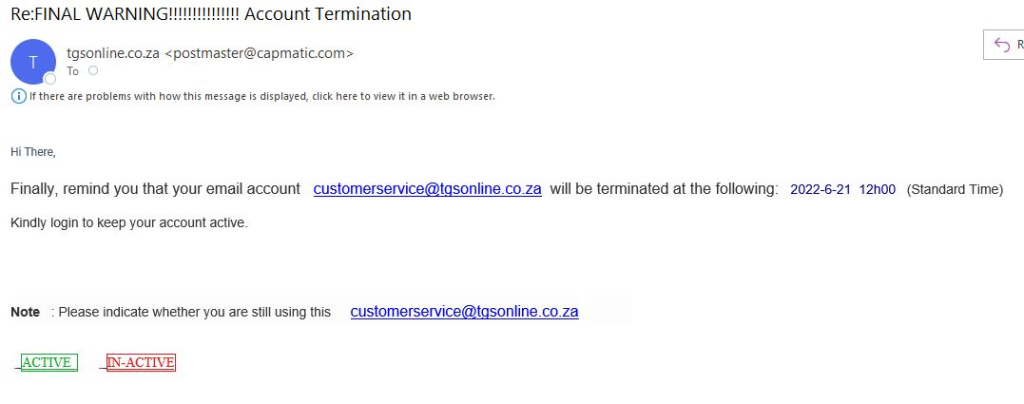
A legitimate company would not create urgency
4. Spelling and Grammar Errors:
– Phishing emails often contain spelling and grammar mistakes. Professional organizations are more likely to have well-edited content.
5. Unsolicited Attachments or Links:
– Don’t click on attachments or links in emails from unknown or suspicious sources. Hover over links to see the actual URL before clicking.
– Legitimate organizations rarely send unsolicited attachments.
6. Check the URL:
– Verify the website’s URL in any links. Ensure it matches the official website of the organization.
– Be cautious of URLs with misspelled words or extra characters.
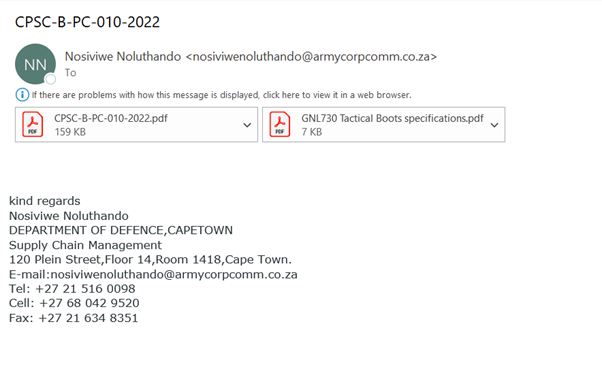
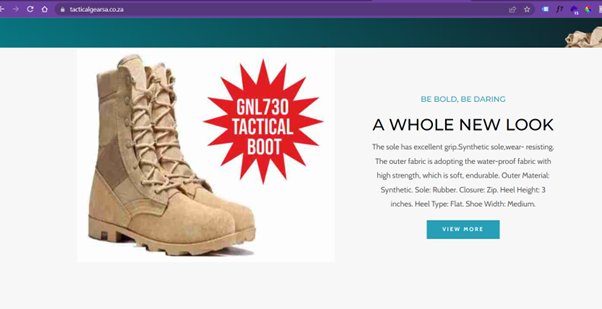
For example: Receiving a tender without applying for one is a red flag because if you are an IT company you can’t be supplying military boots.
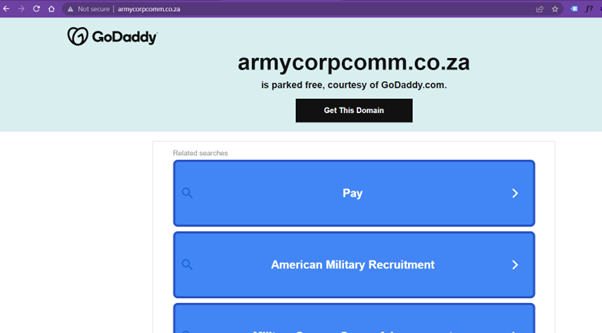
You need to verify the domain. Usually, sites like GoDaddy are used for this purpose. As you can see, armycorpcomm.co.za is still parked on GoDaddy; therefore, the website doesn’t exist.
Another red flag is that the products to be supplied are found on one website.
7. Requests for Personal or Financial Information:
– Never share personal, financial, or sensitive information via email. Legitimate organizations won’t ask for this via email.
– If in doubt, contact the organization through official channels to verify the request.
8. Unexpected or Unusual Content:
– Be wary of emails containing unexpected content, especially if it’s unrelated to your usual interactions with the sender.
– Watch out for unsolicited offers, prizes, or suspicious job offers.
9. Check the Signature:
– Legitimate emails from organizations often include contact information and a professional signature.
– Lack of contact information or an unusual signature can be a sign of phishing.
10. Verify with the Sender:
– If you receive an email requesting sensitive information or actions that seem unusual, contact the sender directly through official means to confirm its legitimacy.
11. Use Anti-Phishing Tools:
– Consider using email security and anti-phishing tools if available. They can help detect and filter phishing emails.
12. Enable Multi-Factor Authentication (MFA):
– Enable MFA for your email accounts and other online services. It adds an extra layer of security, even if your password is compromised.


